
Beyond the Basics: How to Create Stunning Swashes and Stylistic Alternates in Your Fonts
Beyond the Basics: How to Create Stunning Swashes and Stylistic Alternates in Your Fonts
Alternate characters, swashes, and stylistic sets are more than just decorative flourishes — they are the hidden gems that elevate a typeface from ordinary to expressive. For font designers, mastering these features opens up creative freedom and adds real commercial value to your work.
In this article, we’ll walk through the key steps and best practices to design and implement alternate characters that not only look beautiful but work beautifully too.
1. Start with Purpose, Not Just Style
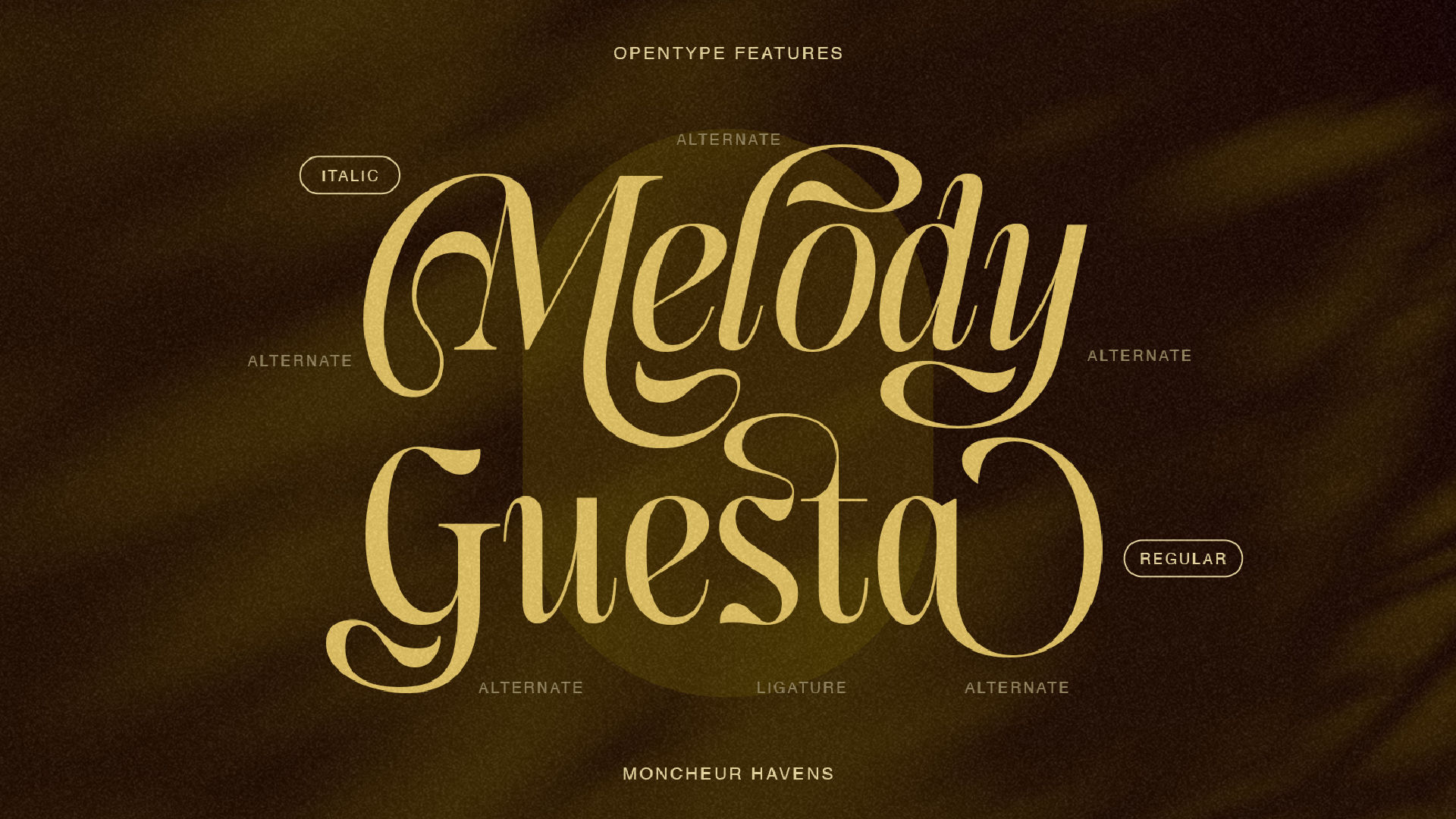
Alternates and swashes should serve a design function:
- To add elegance or expression (e.g. in wedding invites or branding).
- To solve spacing issues in letter combinations.
- To offer creative variation for repeat letters.
🎯 Ask yourself: How will the alternate improve the font’s usability?
2. Design Alternates That Belong to the Family
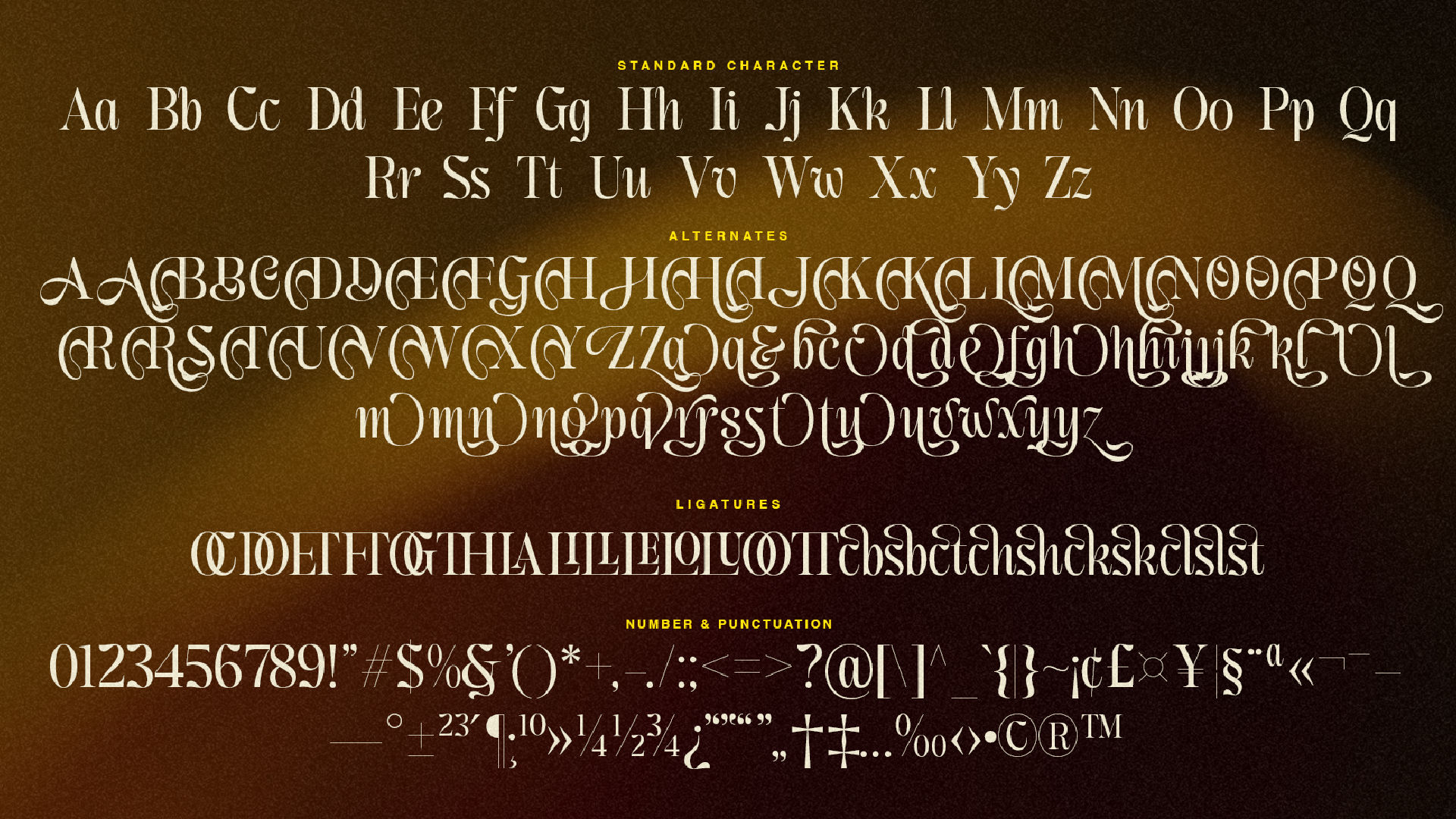
When creating alternate glyphs:
- Keep proportions consistent — same x-height, baseline, and weight.
- Avoid extremes unless designing a display typeface.
- Maintain the same contrast logic and stroke terminals.
🖋️ A good alternate feels like it belongs in the same universe as the default character.
3. Explore Swashes with Rhythm and Flow
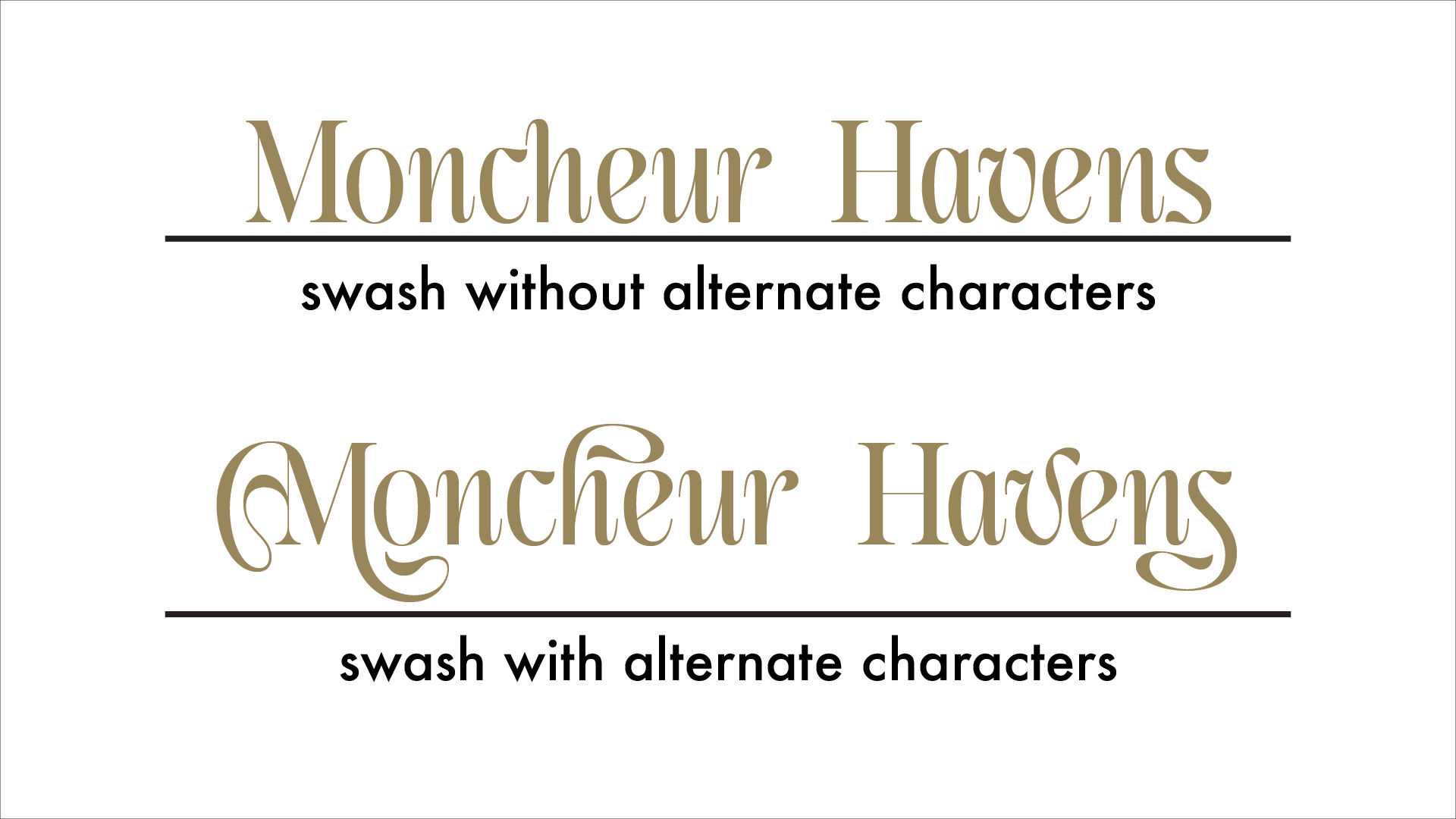
Swashes are popular in script, calligraphy, and serif fonts. Tips:
- Design beginning and ending swashes separately.
- Make sure swashes don’t clash with other letters in a word.
- Add ligature-based swashes for tricky pairs (e.g. “Th”, “st”).
💡 Create at least 2–3 swash versions of key characters like a, h, l, r, s, t, y, z.
4. Use OpenType Features to Organize Alternates
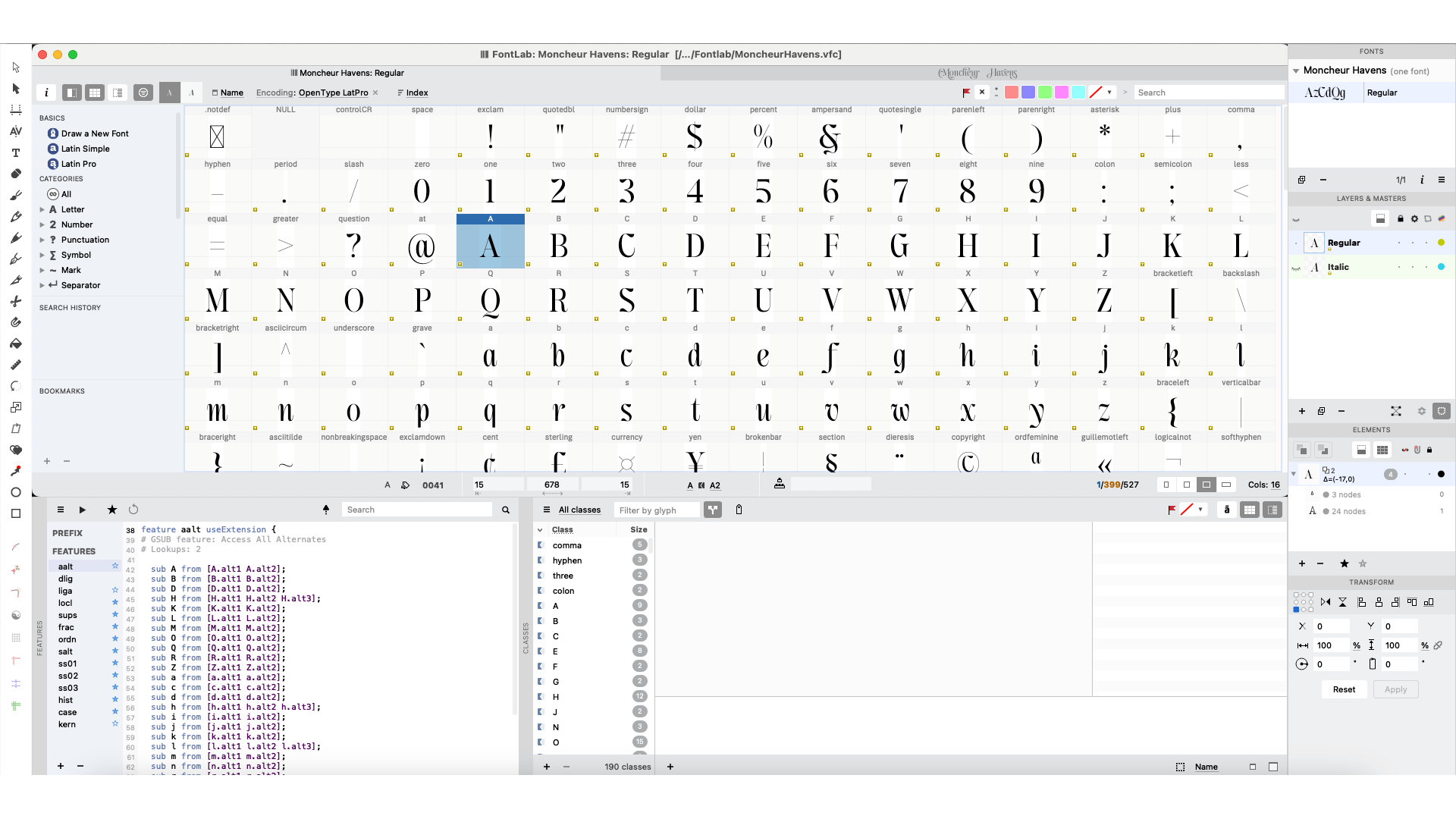
Implement your alternates using proper OpenType coding:
- Use salt for standalone stylistic alternates.
- Use ss01, ss02, etc. to group alternates thematically.
- Use swsh or calt for contextual alternates and decorative strokes.
Example for a stylistic set:
feature ss02 { sub g by g.alt2; sub y by y.alt2;} ss02; |
✅ Label your alternates clearly in your font editor (e.g. “a.alt2”, “g.ss01”) to avoid confusion.
5. Test Across Applications
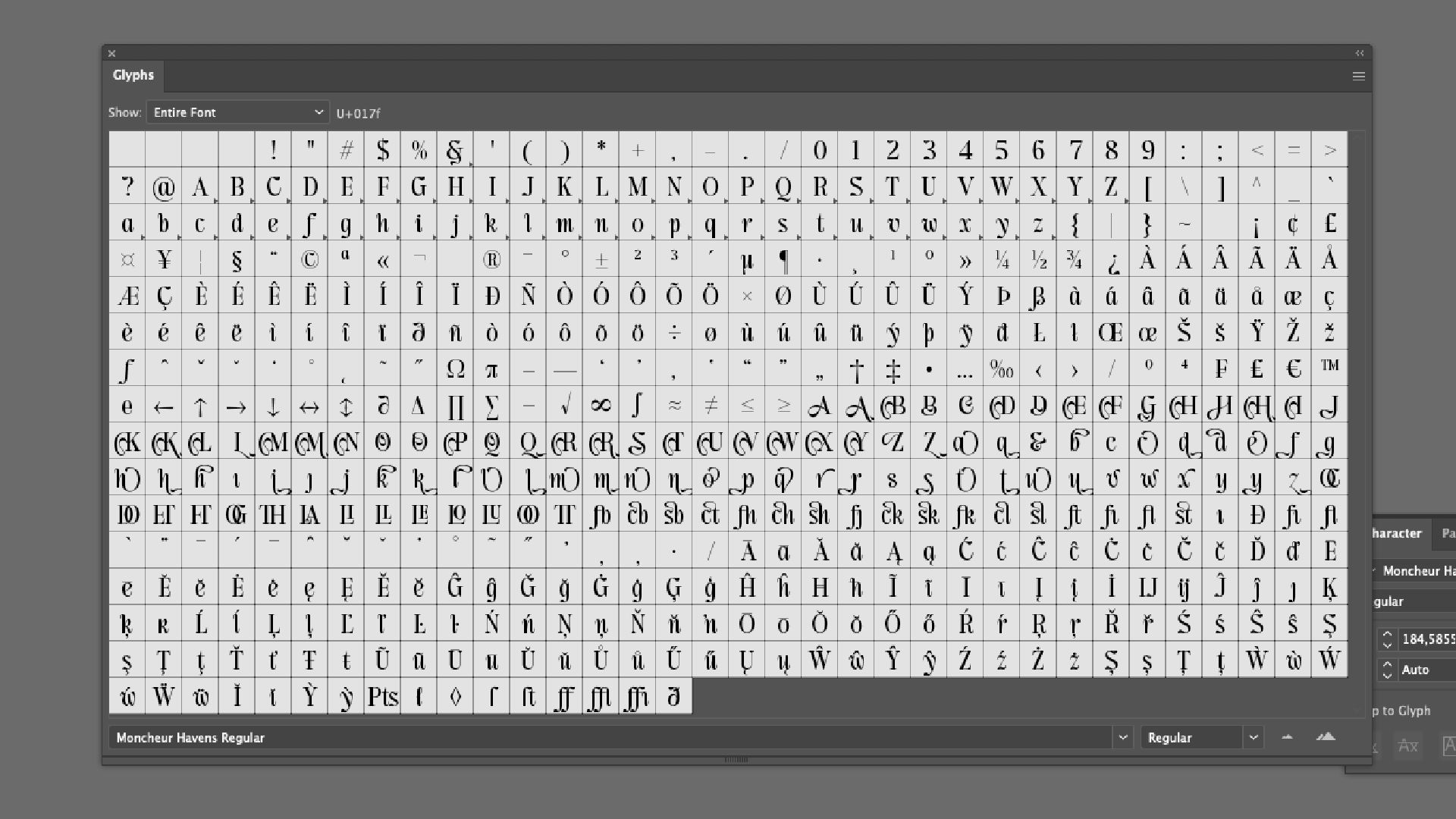
Different apps handle alternates differently:
- In Adobe Illustrator, alternates appear in the Glyphs panel.
- In Canva and Cricut Design Space, only basic OpenType features are supported.
- In Procreate, alternates must be manually selected.
🧪 Always test your fonts in real use cases to avoid display issues.
6. Create a User Guide or Preview Sheet
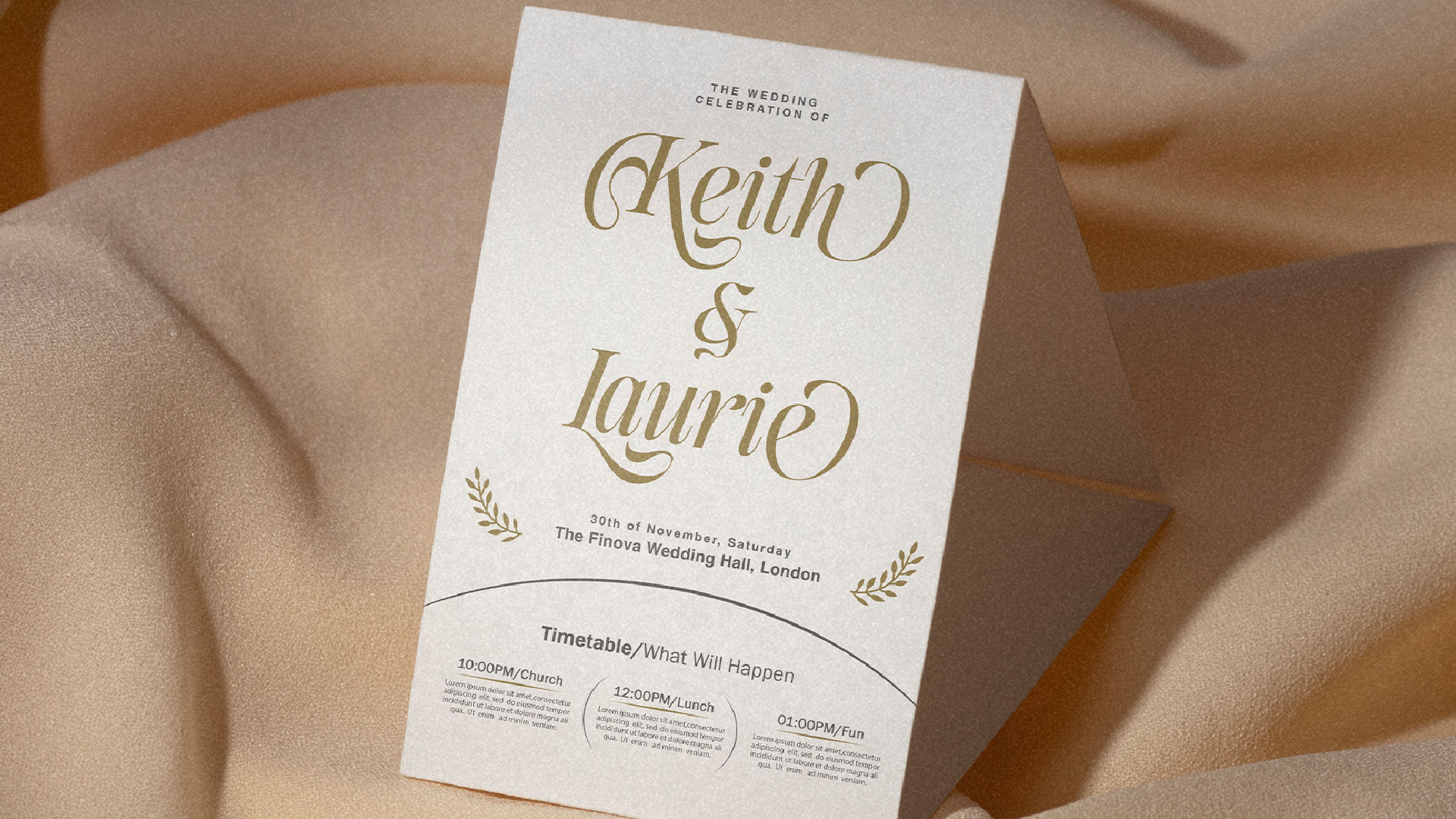
A good typeface not only has great features—it explains them well.
- Include a PDF guide that shows how to access swashes and alternates.
- Add visual previews of stylistic sets (e.g. “SS01: Elegant Loops”, “SS02: Clean Ends”).
📝 Fonts with clear documentation get better reviews and user satisfaction.
Conclusion
Creating beautiful alternate characters is not just about aesthetics — it’s about offering flexibility, emotion, and control to the end user. By thoughtfully designing swashes and organizing your stylistic sets, you create a premium font experience that designers love to use.
Take the time to craft alternates that work in harmony with your main set, and you’ll set your font apart in a crowded marketplace.
Need help showing your alternates to the world?
Include styled visuals, glyph maps, and even short reels to let your audience see the magic in motion. Fonts aren’t just read—they’re experienced.